
PIXParaguay
How to use PIXParaguay to submit a payin in Paraguay.
Post
https://gateway-test.luxtak.com/trade/pay
Payin by PIXParaguay
This endpoint allows you to submit a payin by PIXParaguay in Paraguay.
Parameters
Header
| Parameter | Type | Description |
|---|---|---|
| Content-Type* | string | application/json; chartset=UTF-8 |
| Authorization* | string | Basic Base($app_id:$security_key) |
Body
| Parameter | Type | Description |
|---|---|---|
| app_id* | string | created app's id at dashboard - Max. 32 chars - |
| out_trade_no* | string | ID given by the merchant in their system - Max. 64 chars - |
| method* | string | Fixed value: PIXParaguay - Settlement: Real-time (instant after paid) - - Refund: Supported - |
| order_currency* | string | Fixed value: BRL |
| order_amount* | string | payment amount - 0.01 - 15,000.00 BRL - - Amount Refund: Min 1 BRL - |
| subject* | string | payment reason or item title - Max. 128 chars - |
| content | string | payment reason detail or item detail. - Max. 255 chars - |
| timestamp* | string | yyyy-MM-dd HH:mm:ss - Max. 19 chars - |
| notify_url* | string | Where luxtak will send notification to |
| buyer_id* | string | merchant user's id |
Responses
| 10000 | submit successfully |
{
    "code": "10000",
    "msg": "Success",
    "prepay_id": "WUl1***Fec6",
    "trade_no": "2026***0738",
    "out_trade_no": "out_trade_no_25***916",
    "web_url": "",
    "pay_url": "https://checkout.luxtak.com/checkout?prepay_id=WUl****3Fec6",
    "trade_status": "PROCESSING",
    "qr_code": "000201010212***86D",
    "expired": "7200"
}
| 400 | duplicate out_trade_no |
{
    "code": "40002",
    "msg": "Business Failed",
    "sub_code": "duplicate-out_trade_no",
    "sub_msg": "out_trade_no is duplicate"
}
Tips
User payment tips
Users only need to scan the QR code to finish the payment. QR code can be generated with qr_code value.
Add a Copy QRCODE button. For mobile users, they can copy the string of qr_code and paste it into their wallet app to finish the payment. Adding a copy button could help to improve the user's payment experience.
qr_code_url and qr_code_img are system generated images of qr code which can be used directly on merchant website depending on needs.
Example
curl --location --request POST 'https://gateway-test.luxtak.com/trade/pay' \
--header 'Authorization: Basic MTYyNTgyOTIxNDUzMTY2Mzg6UGFnc21pbGVfc2tfZDUwMWQ1ZGNkNTI5OGQ5N2MwNmUzYjI4YjA2OWZjZmY3NDU5ZjY2NzNiMjFjMTFlYTY3NDM5MDgzOTZkOTYxNQ==' \
--header 'Content-Type: application/json' \
--data-raw '{
    *  "app_id": "177***096",
    *  "out_trade_no": "out_trade_no_257**916",
    *  "method": "PIXParaguay",
    *  "order_currency": "BRL",
    *  "order_amount": "1",
    *  "subject": "luxtak",
       "content": "luxtak",
    *  "timestamp": "2021-08-04 18:50:42",
    *  "notify_url": "http://demo.gemini-tiger.cn/callback/success",
    *  "buyer_id": "buyer123"
}
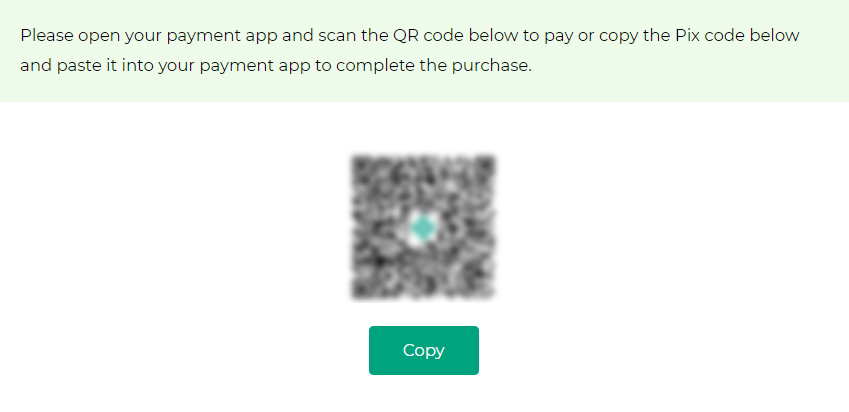 Example of payment page
Tips
Note: 162********38 is luxtak's test app id for sandbox, and MTYyNTgyOTIxNDUzMTY2Mzg6UGFnc21pbGVfc2tfZDUwMWQ1ZGNkNTI5OGQ5N2MwNmUzYjI4YjA2OWZjZmY3NDU5ZjY2NzNiMjFjMTFlYTY3NDM5MDgzOTZkOTYxNQ== is authorization token associated with the test app id.
Warning
Please use your own app_id and generate your own authorization token when testing.